



.webp)

Strong candidates dropping off? Slow interview feedback? Roles staying open longer than expected? These are signs your hiring process lacks the structure needed to move candidates forward efficiently.
A recruitment pipeline is a stage-based system that shows how candidates move through your hiring process — from sourcing and screening to interviews, offers, and onboarding. When it’s well-structured, candidates move faster, feedback happens on time, and your team stays aligned without constant chasing.
This guide walks you through building a recruitment pipeline with Tellent Recruitee, step by step — covering pipeline setup, sourcing, screening, interviews, evaluation, offers, and pre-onboarding.
Key takeaways
- Build your recruitment pipeline around clearly defined hiring stages so every candidate has a clear path forward.
- Connect your sourcing channels to Tellent Recruitee to bring candidates into one structured pipeline.
- Use screening questions, knockout criteria, and automation to reduce manual work and help candidates who meet your criteria move faster.
- Standardize interviews and evaluations so hiring teams can assess candidates consistently and make decisions faster.
- Automate updates, reminders, offers, and pre-onboarding steps to reduce delays and candidate drop-off.
What is a recruitment pipeline?
Recruitment pipelines give hiring teams visibility into where each candidate stands, where delays are forming, and which stages need attention — so you can act before candidates disengage or accept competing offers.
Building a recruitment pipeline means more than listing stages. It means creating a system — with clear ownership, structured evaluations, and automated workflows — that moves candidates forward consistently and reduces manual work that slows hiring.
What is the difference between a recruitment pipeline and a talent pipeline?
A recruitment pipeline tracks candidates actively moving through a live hiring process. A talent pipeline is a pool of passive or previously engaged candidates organized for future roles.
Your recruitment pipeline helps you fill roles today. Your talent pipeline ensures you’re not starting from scratch when new roles open.
| Recruitment pipeline | Talent pipeline |
|---|---|
| Focuses on active candidates applying for open roles | Focuses on passive or previously engaged candidates |
| Structured around hiring stages, such as screening, interviews, and offer | Organized by skills, roles, or departments |
| Used to manage and move candidates toward hiring decisions | Used to build a ready pool of candidates for future hiring needs |
| Time-bound to current hiring cycles | Ongoing and not tied to specific roles |
| Measured by pipeline metrics (time in stage, conversion rates) | Measured by the size and relevance of your talent pool |
What are the benefits of a recruitment pipeline?
A recruitment pipeline gives hiring teams clear visibility and structure — helping you move candidates faster, reduce delays, and make more consistent hiring decisions.
Key benefits include:
- Full visibility into candidate progress. Quickly identify stalled candidates, overloaded stages, and gaps across roles without relying on manual tracking. That visibility lets your team act on problems before candidates are lost.
- Faster time-to-hire by removing bottlenecks. Spot delays like slow feedback or interview scheduling gaps early, before candidates lose interest or accept competing offers. Every day a role stays open costs productivity, team bandwidth, and sourcing effort.
- More consistent and structured hiring decisions. Standardized stages and evaluation criteria help your team assess candidates fairly and consistently across roles and hiring managers. Consistency also makes it easier to defend decisions and reduce bias.
- Better coordination with less manual admin. Centralized communication, feedback, and candidate updates in one place keep recruiters, hiring managers, and stakeholders aligned—without chasing updates across email, Slack, or spreadsheets.
- Improved candidate experience and reduced drop-off. Clear timelines, faster responses, and consistent communication keep candidates engaged. Tellent Recruitee’s State of Hiring 2025 data shows an average time to hire of 40.1 days globally, compared with 28 days at larger companies with more structured processes — so a slow pipeline directly affects your ability to hire.
- Clear pipeline insights to improve hiring performance. Stage-level data — like time in stage and conversion rates — helps you identify where candidates drop off, where decisions slow down, and where to optimize your process.
- Scale hiring without losing control. Maintain structure and oversight as hiring volume increases, so you can grow headcount without creating new bottlenecks or relying on ad hoc workarounds.
What are the key stages of a recruitment pipeline?
A recruitment pipeline typically follows a series of stages that move candidates from initial sourcing through to hiring and onboarding:
- Sourcing. Identifying and adding candidates through job boards, referrals, talent pools, and outbound outreach.
- Screening. Reviewing applications against must-have criteria to shortlist candidates worth progressing.
- Interviewing. Assessing shortlisted candidates using structured interviews to evaluate skills, experience, and role fit.
- Evaluation. Consolidating hiring team feedback to compare candidates and make informed hiring decisions.
- Offer. Sharing and finalizing offer details with selected candidates, including approvals and terms.
- Onboarding (post-offer stage). Transitioning accepted candidates into onboarding to ensure a smooth, well-prepared start.
How to build a recruitment pipeline with Tellent Recruitee — step by step
The most effective way to build a recruitment pipeline is to design it around the stages candidates move through in your hiring process — then add structure, automation, and clear ownership at each one. Here’s how to do that inside Tellent Recruitee.
1. Set up your recruitment pipeline
When hiring runs on spreadsheets, notes, and email threads, it’s easy to lose track of where candidates stand and fall out of sync as a team. Setting up a stage-based pipeline in Tellent Recruitee gives your team a shared structure to manage candidates, standardize your process, and keep hiring organized across roles.
Start by using the default pipeline template in Tellent Recruitee — which divides a pipeline into Applicants, Active process, and Hires — or create a custom template.
If you’ve already mapped out your hiring process, go to Settings → Templates → Pipelines to build a custom candidate pipeline.
For each stage, define:
- Stage name
- Stage type
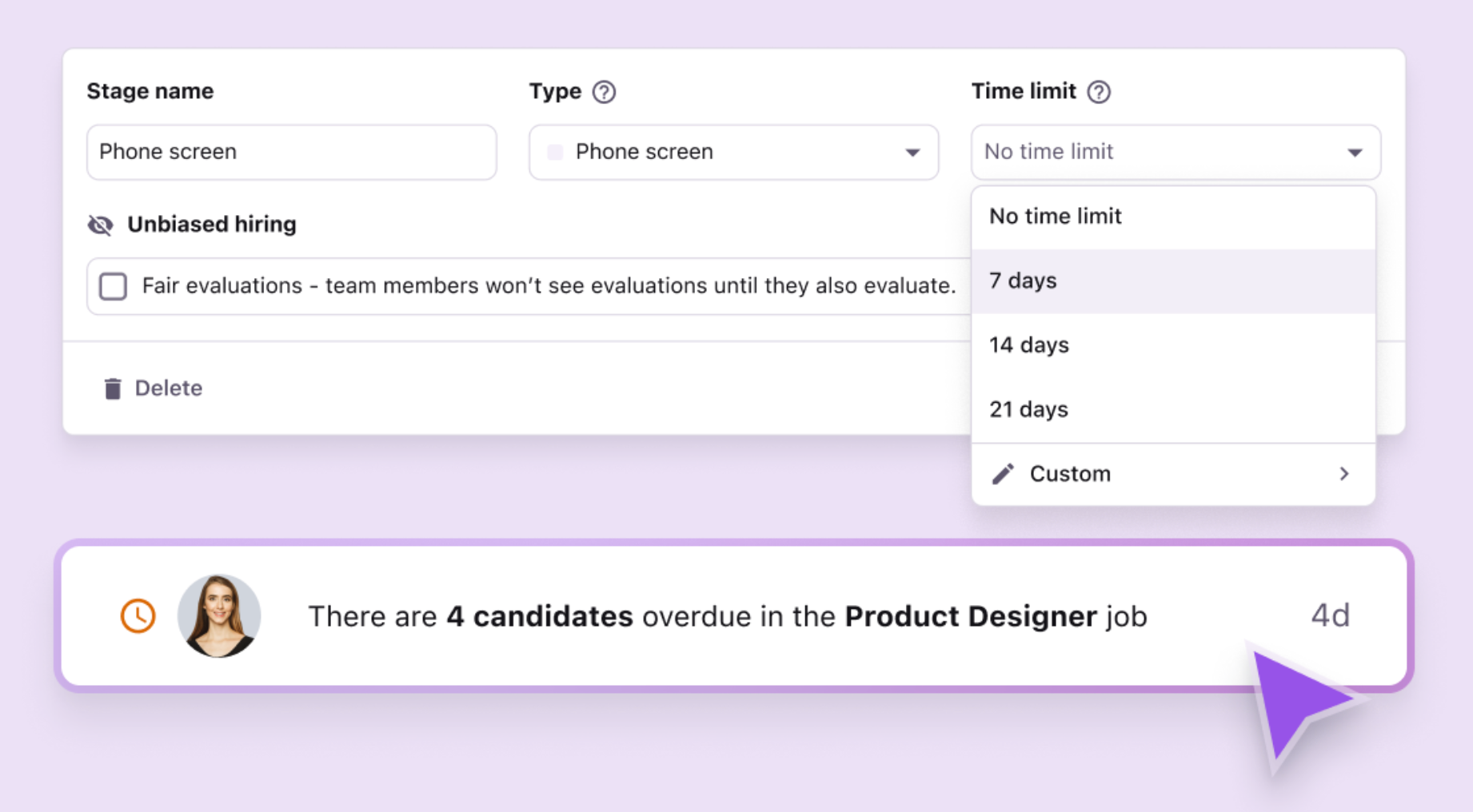
- Time limit (how long a candidate can stay in a stage)
- Any automated actions (more on this below)
Time limits work best with reminders, explains Marieke Drees, VP of People at Tellent. For example, you might set a 10-business-day limit on your first stage — giving your team two weeks total to respond to applications. If no action is taken, the system sends reminders that candidates are waiting for an update, creating accountability without manual tracking.
Once set up, save the pipeline as the default for all roles, or as a custom template for a specific job. Then add your team members under Settings, assign each person a hiring role (which determines their access level), and send them an invite.
Setting the right permissions ensures everyone involved in hiring can collaborate efficiently—without losing visibility or control over who can take action at each stage.
2. Source and add candidates to your pipeline
With your pipeline in place, the next step is bringing candidates into it. Tellent Recruitee centralizes candidate inflow from multiple sourcing channels, keeping your pipeline active and structured.
You can add candidates in several ways:
- Manually add candidates. Click Add candidates in the top-right corner of your pipeline to upload candidates or import CVs directly.
- Set up application forms. Tellent Recruitee automatically generates candidate profiles from submitted CVs, so applications flow straight into your pipeline.
- Connect job boards. Direct applicants to your career site and publish roles to multiple job boards from a single place — rather than posting individually on each platform.
- Integrate LinkedIn Recruiter System Connect (RSC). Sync LinkedIn Recruiter with Tellent Recruitee to view up-to-date candidate data, track past interactions, and add candidates to your pipeline without switching between tools.
- Create a talent pool of qualified candidates. Group candidates by role, skills, or department so you can quickly find and re-engage them when similar positions open.
- Set up ReferralsHub for employee referrals. Collect and manage referred candidates in the same system, making it easy for employees to submit referrals and for recruiters to track them through the pipeline.
Connecting your sourcing channels to Tellent Recruitee means every inbound candidate — regardless of where they came from — enters the same structured pipeline. Nothing gets lost in a separate inbox or spreadsheet.
3. Set up your screening stage to shortlist qualified candidates
Screening is where hiring often slows down — especially at volume. Standardizing and automating it reduces time-to-hire and lowers the risk of costly mis-hires by filtering candidates early, before you invest significant time.
Start by building role-specific screening question templates under the Settings tab in your Tellent Recruitee dashboard.
Once your templates are set, you can structure the first layer of review:
Set up knockout questions
Turn must-have screening questions into knockout criteria. If a candidate doesn’t meet a baseline requirement — such as location or work authorization — Tellent Recruitee automatically filters them out of your active pipeline and triggers a disqualification email, so no candidate waits for a response that won’t come.
Use Screening Assistant to filter high application volume
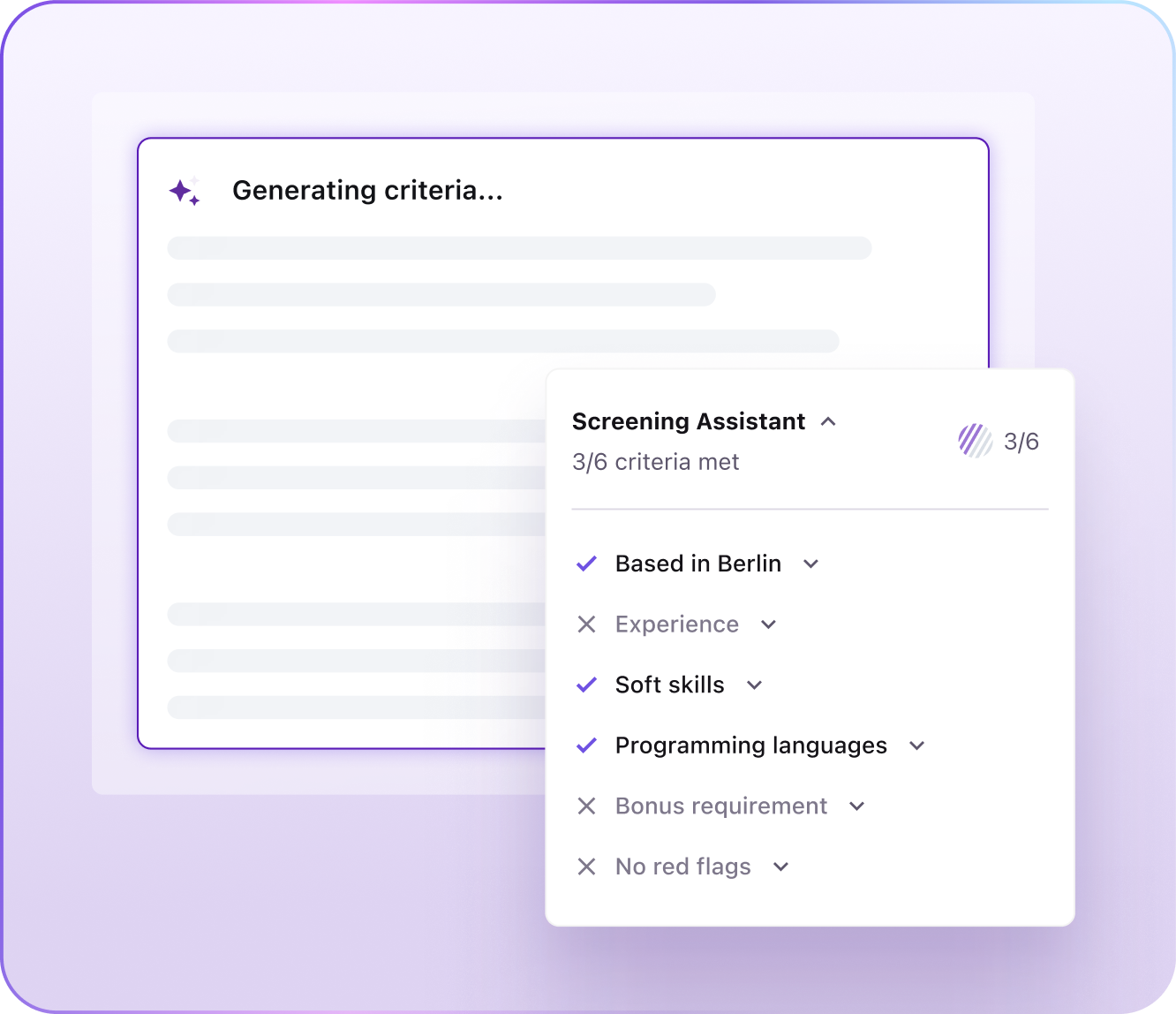
When you publish a job in Tellent Recruitee, enable Screening Assistant to let AI read each candidate’s CV, cover letter, and screening answers. It analyzes each application against up to six role-specific criteria you define, helping you review relevant matches quickly without starting every review from scratch. Screening Assistant surfaces candidates based on your defined criteria. Your team reviews the insights and decides who progresses.
Automate disqualification emails
Under Workflow in Settings, assign an automated email action to each disqualification reason. When a knockout question disqualifies a candidate, Tellent Recruitee automatically sends a predefined email — keeping candidates informed without adding manual work to your team’s queue.
Marieke Drees, VP of People at Tellent, recommends avoiding one generic rejection reason such as “not a fit.” Specific reasons, for example, salary expectations above budget, let you tailor the candidate email. They also help you spot trends to raise with the business.
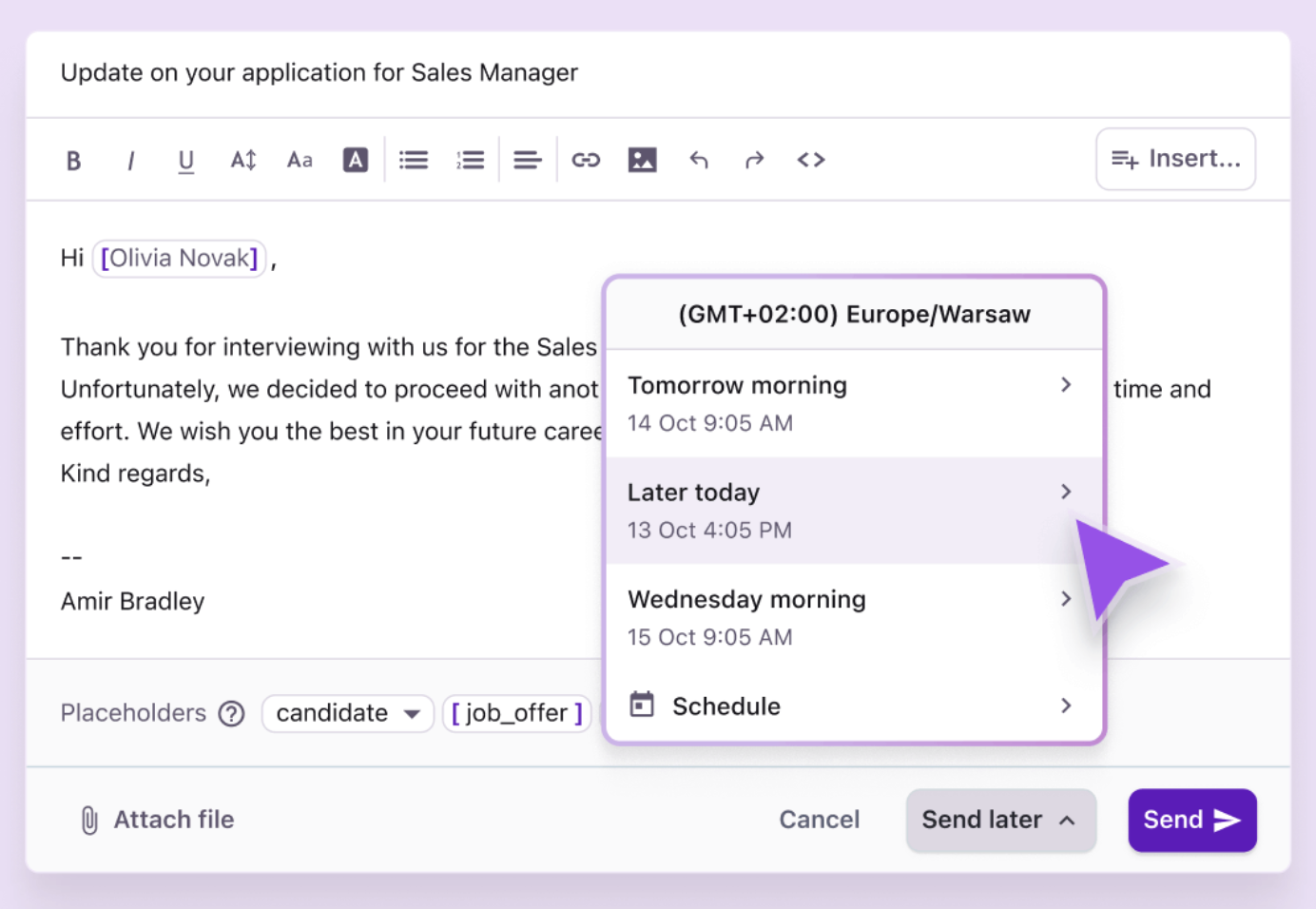
Trigger update emails to candidates who progress
Set a workflow automation that sends a pre-drafted next-step email whenever a candidate is moved to the next stage. Candidates stay informed at every step without your team drafting individual messages.
Together, these steps ensure only qualified candidates move forward — and that every candidate, regardless of the outcome, receives a timely response.
4. Structure your interview stage for consistent assessments
Once candidates move past screening, the priority shifts to reducing scheduling friction and ensuring interviews are structured enough to support fast, fair, and consistent decisions. Interview rounds are often where the pipeline loses speed. Tellent Recruitee’s State of Hiring 2025 data recorded an average of 5.5 interviews per hire worldwide, and companies that cut unnecessary interview rounds are better placed to secure top hires.
Automate interview scheduling to reduce back-and-forth
Connect your team’s calendars to Tellent Recruitee, then set up an Event scheduler link under Workflow in Settings. Name the scheduling link, set an expiry date, and define the date range within which candidates can book a slot. From there, your team can add the Event scheduler link to interview invitation emails—candidates select a time that works for them, without the back-and-forth of manual scheduling.
Self-scheduling works only when calendars are up to date. Ask every interviewer to block unavailable time before the role opens, or candidates book slots that later need to move.
Use evaluation forms to standardize candidate assessment
Evaluation forms are role-specific templates that ensure every interviewer asks the same questions and assesses candidates on the same criteria. Find them under Templates in Settings, then add questions and select the response format for each (scorecard, single or multiple choice, free text). Consistent evaluation criteria make it easier to compare candidates fairly—and reach a decision faster.
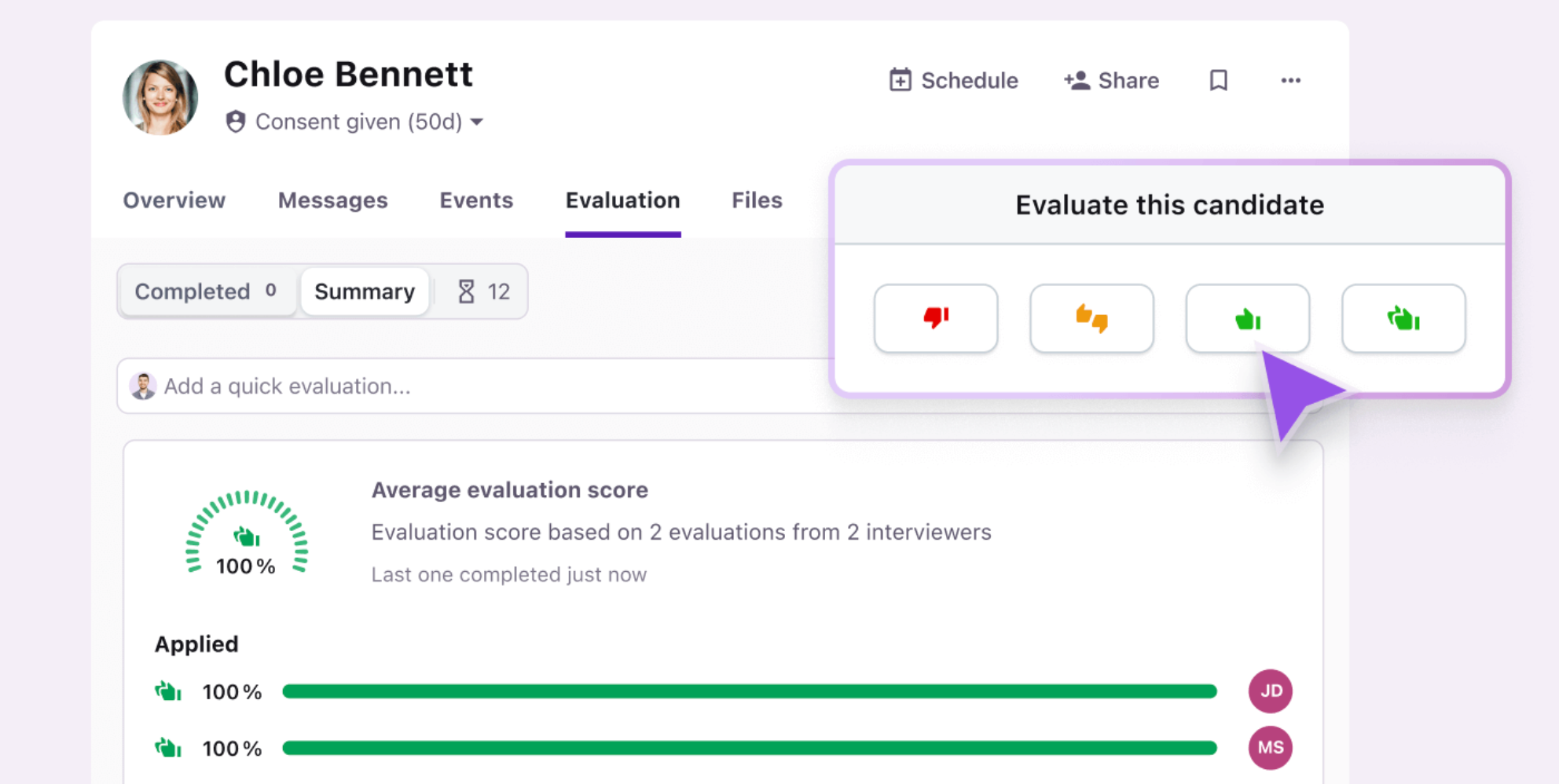
Use Quick Evaluation for immediate post-interview feedback
For busy hiring managers, Quick Evaluation lets them leave a thumbs-up or thumbs-down rating and a brief comment immediately after an interview. It reduces the friction of submitting feedback and improves response rates — meaning missing input delays fewer decisions.
Set interview reminders to reduce feedback chasing
Inside your pipeline, click the pencil icon on the interview stage to add automated reminders. Set a trigger — for example, after an interview is completed — and an action to send an evaluation request. Add a feedback deadline (say, feedback due within three days) to create clear accountability without manual follow-up.
Together, these steps create a structured interview stage that makes it easier to schedule interviews, capture and compare feedback, and reduce delays and bias in hiring decisions.
5. Set up your evaluation stage to review candidates
To make confident hiring decisions, you need a clear, centralized view of all candidate feedback — not scattered notes, delayed input, or disconnected tools. The evaluation stage in Tellent Recruitee brings everything together so your team can move from feedback to decision without unnecessary delay.
Use evaluation scores and AI summaries for a quick view of candidate performance
As your team submits evaluations in Tellent Recruitee, the platform compiles ratings into an overall score — giving you a snapshot of each candidate’s performance across interviews. Evaluation Insights, Tellent Recruitee’s AI-powered feature, then aggregates team comments into clear summaries, helping you spot key strengths and reach a consensus faster.
Tellent Recruitee turns both on by default — no additional configuration needed. Evaluation Insights supports your team’s judgment — it doesn’t replace it. The summaries are there to surface patterns and consensus, not to make the decision for you.
Watch out for evaluations with a rating but no comment. A plain thumbs-up gives AI summaries and recruiters little to work with, so make one written comment per criterion part of your feedback rules.
Connect assessment tools to consolidate all candidate data
If you’re using external tools like TestGorilla or Codility, connect them via Tellent Recruitee’s Marketplace. Test results pull directly into candidate profiles, so all evaluation data lives in one place and your team doesn’t have to switch between systems to get a full picture.
Automate notifications to move candidates forward faster
Set up workflow automations to notify the recruiter — or automatically move the candidate to the next stage — when all evaluations are submitted. Hiring team members can also configure notifications for candidates, jobs, or events they’re following via web, mobile, or email. Tellent Recruitee alerts the right people as soon as feedback is in — so decisions don’t stall, and candidates don’t sit idle.
6. Create offer letter templates and integrate your e-signature tool
Delays and unclear communication at the offer stage are among the most common reasons candidates drop off — especially when they’re considering multiple offers. Moving candidates from decision to signed offer quickly requires a structured, low-friction offer process.
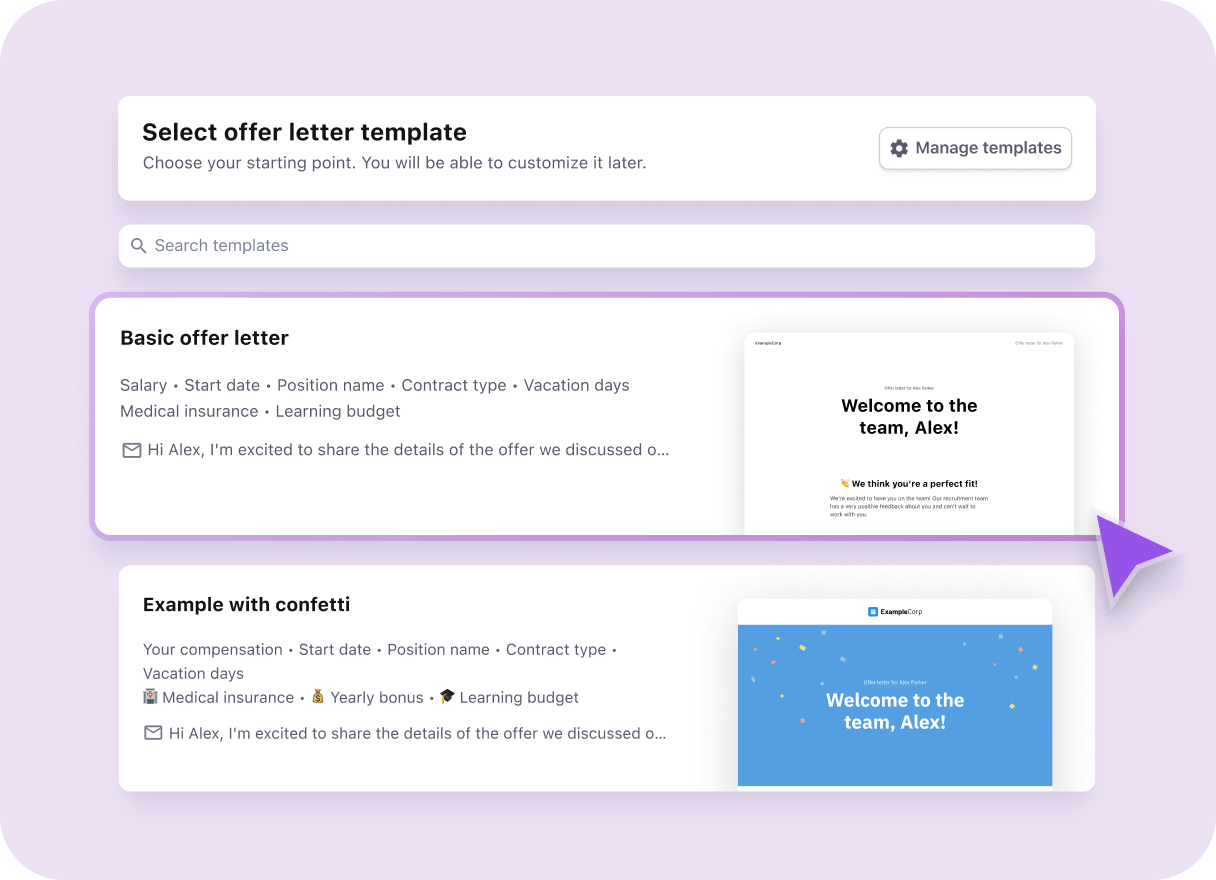
Create branded, reusable offer letter templates
From a candidate’s profile, click Prepare offer from the three-dot menu. Choose a pre-designed layout or build a custom template from scratch.
Add standard details, including how the candidate accepts the offer, and personalize each offer with salary, benefits, vacation days, contract type, and start date. Include the offer page link in your email so candidates can access it immediately.
Integrate your e-signature tool
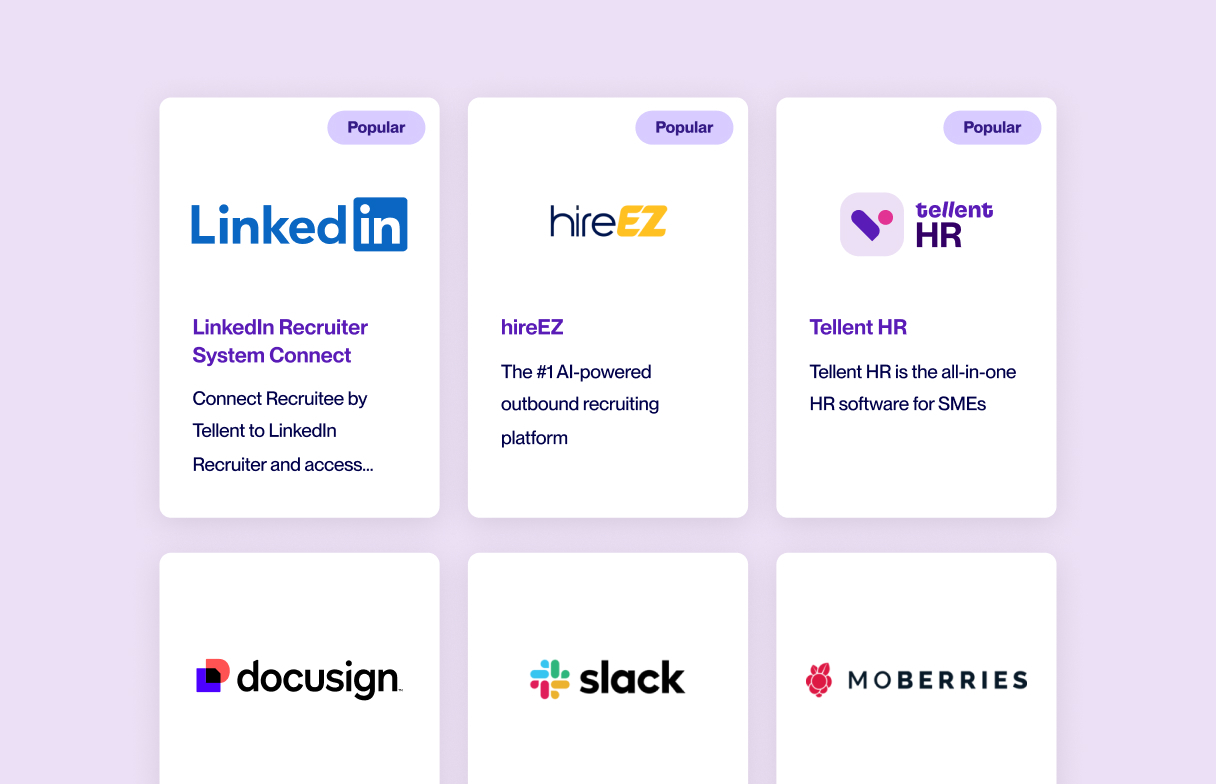
Connect DocuSign, Dropbox Sign, or your preferred e-signature tool through Tellent Recruitee’s integrations. Candidates can sign digitally — removing the need for printing or scanning — and you can secure accepted offers faster.
A streamlined offer process reduces the window where candidates can be pulled away by faster-moving competitors. The goal is to make saying yes as frictionless as possible.
7. Connect your offer stage to pre-onboarding workflows
A signed offer is not the end of the recruitment pipeline — it’s the handoff to onboarding. Without a structured pre-onboarding process, tasks get delayed, information gets lost, and new hires start with a fragmented experience.
Set up pre-onboarding workflows with Journeys
Use Journeys in Tellent Recruitee to break your pre-onboarding process into clear, reusable steps. For each step, assign actions to the relevant team members and set deadlines to keep everything on track. You can also automate the delivery of key information to new hires’ personal email ahead of their technical setup — so they’re prepared for day one before they even have a work account.
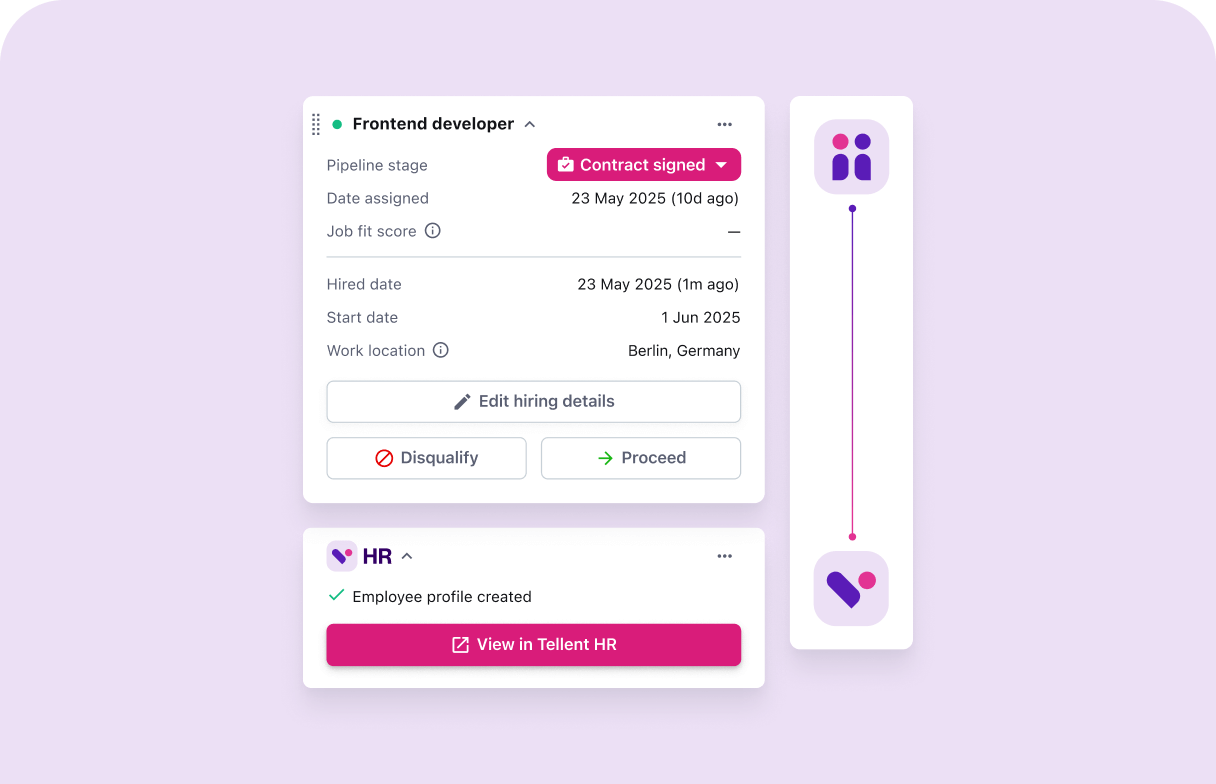
Using Journeys here bridges the gap between the Hire and Manage modules — so the transition from candidate to employee is as structured and intentional as the hiring process itself.
Pre-onboarding workflows also signal to new hires that the organization is prepared and organized — which directly affects early engagement and retention.
Recruitment pipeline best practices
Prioritize candidate velocity, not just pipeline volume
A bigger pipeline doesn’t fix slow hiring — how quickly candidates move through it does. When pipelines slow down, qualified candidates disengage or accept offers from faster-moving companies. Identify and remove friction from each hiring stage, and move candidates forward as quickly as possible to avoid unnecessary wait time between steps.
Build proactive talent pools inside your pipeline
A strong pipeline isn’t built only when roles open. Organize candidates by skills, role types, or departments, and tag strong applicants — even those not selected. Set up simple re-engagement workflows to reconnect with them when similar roles open. This reduces sourcing effort and time-to-hire for your next vacancy.
Monitor pipeline health regularly
Small delays across stages quickly compound into slower hiring and lost candidates. Review your pipeline regularly for early warning signs: candidates stuck in stages too long, overdue feedback, stage congestion, or delays between offer and acceptance. Tellent Recruitee’s reporting dashboard gives you a centralized view of these metrics so you can spot and fix issues before they compound.
Start building a structured recruitment pipeline
A strong recruitment pipeline isn’t about adding more candidates — it’s about making sure the right ones move through each stage efficiently.
Once your stages are clearly defined, your sourcing is connected, and your workflows are structured and automated, hiring becomes more predictable. Candidates don’t get stuck, teams stay aligned, and decisions happen faster.
If you’re still managing parts of this across spreadsheets, emails, or disconnected tools, Tellent Recruitee brings it all into one place — from pipeline setup and sourcing to screening, evaluation, and pre-onboarding.
In a Tellent Recruitee customer survey, teams reported automating up to 80% of manual recruiting tasks and spending 64% less time on hiring administration.
Teamleader reduced its time-to-hire from 40 days to 27 days by streamlining its hiring pipeline and workflows with Tellent Recruitee.
A structured pipeline isn’t just a process improvement — it’s a decision infrastructure. When every stage has clear ownership, consistent criteria, and the right data, your team makes better hiring decisions consistently and at scale.

_websize.jpg)


.jpg?width=1000&name=%5BEN%5D%20Cost%20Per%20Hire%20-%20Website%20image%20-%201220x740%20(1).jpg)