



.webp)
Hiring doesn’t end when a candidate signs an offer. But for many teams, that’s exactly where workflows start to break:
- Candidate data sits in an Applicant Tracking System (ATS).
- Employee data sits in a Human Resources Information System (HRIS).
When those two systems don’t adequately connect, onboarding delays, manual employee data entry, and missing candidate context quickly follow.
This is where a strong HRIS–ATS integration becomes essential.
When done well, it creates a continuous hiring to onboarding workflow that removes manual handoffs and prevents teams from managing two disconnected systems.
It also improves data accuracy — another hidden cost driver that quietly slows hiring as companies grow.
More importantly, it improves decision quality. When hiring and employee data stay connected, recruiters, HR teams, hiring managers, and leadership work from the same trusted context. That means onboarding, reporting, workforce planning, and early management decisions are based on accurate information — not manual updates, incomplete records, or disconnected tools.
Understanding when and how to connect these systems determines whether your recruiting process scales smoothly or becomes harder to manage over time.
So in this guide, you’ll learn:
- ATS vs HRIS (including when you need an ATS if you already use an HRIS)
- Why ATS–HRIS integration matters and how it works in practice
- How to evaluate HRIS-ATS integrations before choosing software
By the end, you’ll understand how to connect your HRIS and ATS so hiring flows smoothly into onboarding without manual handoffs or lost context.
HRIS vs ATS: What each system is built to do
An ATS helps manage candidates before they become employees, while an HRIS is designed to manage employees after they’re hired.
So while both systems sit within the broader employee lifecycle, they operate at different stages and serve fundamentally different purposes.
Where an ATS creates ownership and visibility across hiring, an HRIS ensures accurate records and people data once a candidate becomes an employee. Here’s a detailed breakdown:
|
Applicant Tracking System (ATS) |
Human Resources Information System (HRIS) |
|
|
What it is |
A system used to manage candidates and hiring processes before someone becomes an employee. |
A system used to maintain accurate employee records and support ongoing people operations after someone is hired. |
|
Core visibility it provides |
Where each role and candidate stand in the hiring process. |
Who works at the company and how roles are structured. |
|
What does it do (key uses) |
|
|
|
Who is it for (users) |
Recruiters, hiring managers, talent acquisition. |
HR, People Ops, Finance. |
|
When to use it |
Pre-hire: When managing job openings, evaluating candidates, and making hiring decisions. |
Post-hire: When onboarding, tracking, and managing someone as an employee. |
|
What happens without it |
Hiring is scattered across emails and spreadsheets — mainly relying on 1-2 recruiters’ memories, which slows down decision-making. |
Employee data becomes fragmented, inconsistent, or hard to manage at scale. |
Do I need an ATS if I already have an HRIS?
Often, yes — once hiring involves multiple roles, stakeholders, or manual coordination, an ATS becomes necessary.
When hiring is simple or low-volume, many teams can manage recruiting using spreadsheets or HRIS recruiting modules (the built-in hiring features some HR platforms offer as add-ons).
These tools typically support posting jobs and collecting applications. But as hiring volume and complexity grow — especially when multiple roles, stakeholders, or locations are involved — these basic modules start to break down.
They rarely support structured, end-to-end hiring workflows, managing several open roles at once, or automating routine hiring tasks.
The result? Collaboration becomes inconsistent, teams end up relying on manual workarounds, hiring ownership becomes unclear, and decisions often slow down. That’s when an ATS becomes necessary.
If you’re unsure whether your team has reached this point, here are 10 signs it may be time to invest in an ATS.
What is an ATS–HRIS integration (and how does it work?)
An ATS–HRIS integration connects your hiring system (ATS) with your people management software (HRIS) so that hiring data flows automatically between the two.
So instead of recruiters and HR teams manually re-entering information or bridging systems with spreadsheets, candidate details transfer directly into employee records once someone is hired.
In practice, this means that when a candidate accepts an offer in your ATS, key information — such as personal details, job title, department, compensation, manager, and employment terms — is automatically added or updated in your HRIS.
This turns hiring and onboarding into one continuous workflow instead of two disconnected systems where candidate context gets lost.
The best integrations also guide the handoff between teams. They make it clear what information is complete, which steps are still missing, who owns the next action, and where data issues could create delays later in onboarding or reporting.
What data typically syncs between ATS and HRIS?
Most HRIS-ATS integrations transfer:
- Candidate and personal information
- Job and role details
- Department and reporting structure
- Compensation and employment terms
- Offer status and start dates
This data syncing usually happens when a candidate accepts an offer, a hire is confirmed, or a start date is finalized.
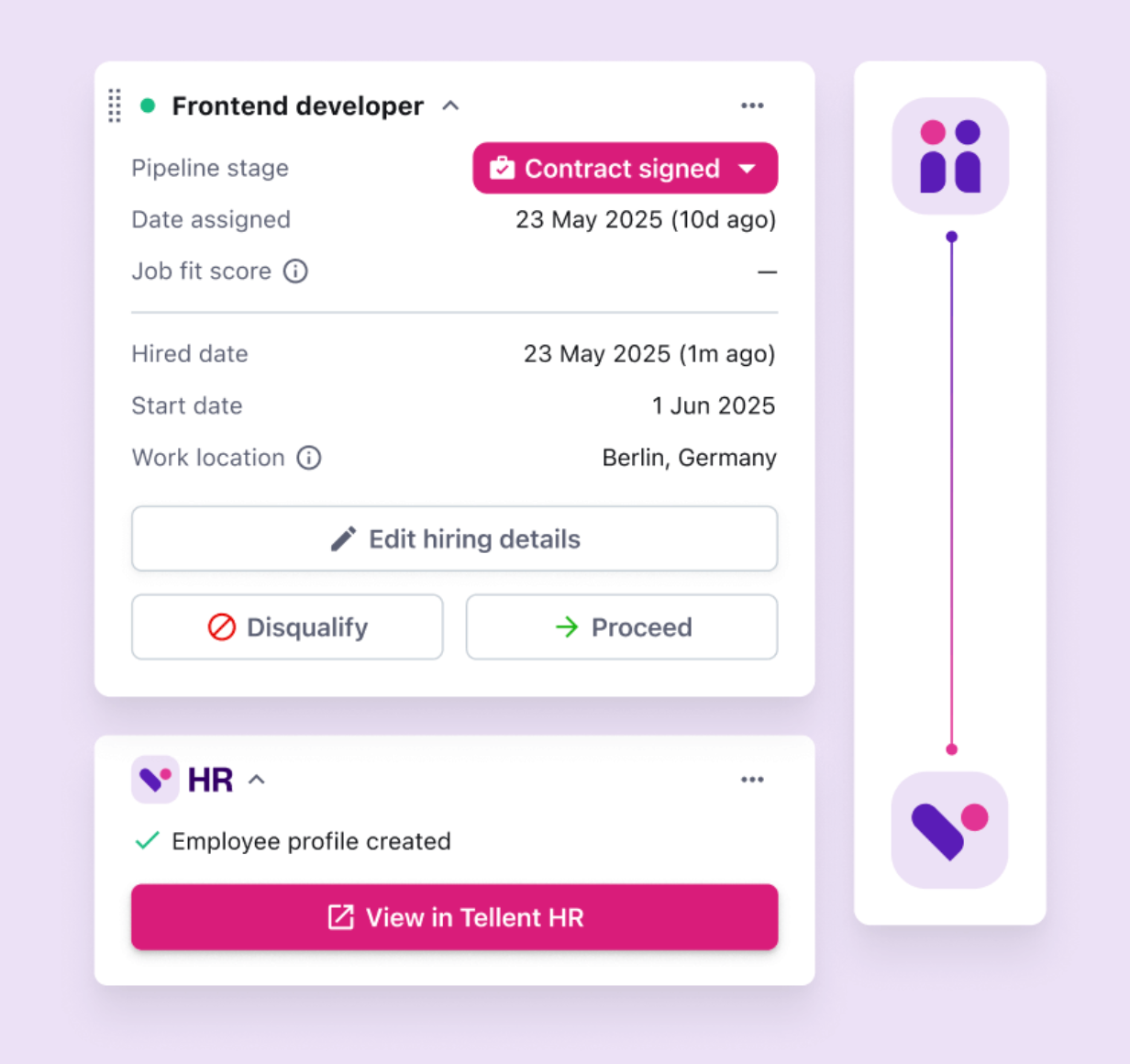
Synched data flowing from ATS, Tellent Recruitee to HRIS, Tellent HR.
The end goal is not only to streamline onboarding. It is to create a reliable candidate-to-employee record that preserves hiring context, reduces manual employee creation, and gives HR, managers, and leadership a shared foundation for better decisions after the hire.
One caveat that’s worth noting here: not all ATS-HRIS integrations are equal.
Weak or partial integrations sync only basic fields — requiring manual fixes, even creating more work than having no integration at all. In contrast, strong HRIS-ATS integrations automatically transfer complete hiring data, preserving hiring context and removing handoffs from hiring to onboarding.
Importance of ATS and HRIS integration
A strong ATS–HRIS integration reduces friction throughout the entire hiring-to-onboarding transition. Instead of manually stitching between systems, teams get a connected process that’s faster, more reliable, and easier to scale.
The key benefits of integrating an ATS with your HRIS include:
- Fewer handoffs between hiring and onboarding. Candidate data automatically flows into employee records, eliminating manual transitions and preserving the context behind the hiring decision.
- Reduced administrative work and data errors. Removing copy-pasting between tools reduces duplicate records and inaccuracies in role details, compensation, reporting lines, and start dates.
- Faster onboarding and quicker time to productivity. New hires can be onboarded with complete, verified information, helping managers focus on enablement instead of data collection.
- A single source of truth across hiring and HR operations. Hiring decisions, employee records, and role data stay aligned across systems, reducing confusion and improving confidence in people data.
- More scalable hiring without scaling admin effort. Teams can manage higher hiring volume and more stakeholders without increasing coordination overhead.
- More reliable reporting and planning. Synced data gives HR, Finance, and leadership clearer insight into hiring outcomes, workforce trends, and headcount planning.
Who benefits from an HRIS-ATS integration?
|
Who |
How does integrating your HRIS with an ATS help them |
|
HR teams |
No re-entry of data, cleaner employee records, and faster onboarding. |
|
Recruiters and talent teams |
Fewer stalled roles, better visibility into hiring progress, and clearer ownership. |
|
Hiring managers |
Accurate role and reporting details transfer at hire — reducing confusion and post-offer back-and-forth. |
|
Finance and leadership |
More accurate hiring, headcount, and workforce data to support planning and decisions. |
|
Candidates |
Faster offers, fewer delays, and a more seamless transition into the company. |
What happens with a partial or weak integration between ATS and HRIS tools?
Partial ATS–HRIS integrations often technically connect systems but fail to remove workflow friction in practice.
So instead of simplifying hiring and onboarding, they create hidden inefficiencies, data silos, and missed insights that typically look like this:
- Only basic fields sync (for example, name, email, or start date)
- Custom fields, compensation details, or approvals don’t transfer
- Sync errors go unnoticed until onboarding or payroll begins
- Teams maintain backup spreadsheets or manual checks for “just in case.”
In turn, this leads to the following common problems:
- Continued manual data entry and duplicate record creation
- Incomplete employee profiles that require follow-up corrections
- Misaligned role, compensation, or reporting information
- Delayed onboarding caused by missing or inconsistent data
- Reduced visibility into hiring progress and outcomes
- Increased manual coordination work between HR, recruiters, and hiring managers
- Higher risk of data security and compliance gaps
- A fragmented candidate experience caused by delays and repeated requests for information.
The end result? The ATS feels like ‘extra work’ rather than leverage.
A partial ATS-HRIS integration often leaves you managing two systems while still doing the same manual work. Over time, this leads to slower onboarding, frustrated stakeholders, and lower confidence in hiring and workforce data.
How to integrate your ATS with your HRIS
There are three common ways to integrate an ATS with an HRIS, each with different tradeoffs in scalability, maintenance, and reporting depth.
Choose the right solution based on your hiring complexity, reporting needs, and how quickly your organization is scaling:
1. Set up manual or custom-built workarounds
This includes using spreadsheets, internal scripts, or one-off automations to pass data between systems.
These typically work in early stages, when hiring isn’t complex, but they often require:
- Frequent manual checks to ensure data is accurate and complete
- Ongoing internal ownership to maintain workflows and fix errors
- Continuous updates when hiring processes, roles, or data requirements change
In short, custom-built workarounds can work short-term — but rarely scale without introducing risk, rework, and ongoing maintenance overhead.
2. Check for native ATS–HRIS integrations
Many ATS for small to medium-sized businesses offer native integrations with HRIS tools and vice versa.
For instance, Tellent Recruitee integrates with several leading HRIS like Personio, BambooHR, HiBob, SAP Success Factors, AFAS Software, and ADP Workforce Now — letting you integrate the highly customizable ATS with an HR system you already use.
This is particularly helpful for teams that don’t have buy-in to switch to a unified people decision platform (see below) or find it overwhelming to completely switch from the HR platform they’re already familiar with.
However, a native ATS-HRIS integration is typically effective if it’s strong and well-maintained. But many teams often underestimate the limitations of native integrations because they assume:
- The availability of an integration means it’s reliable
- Additional ATS administration is an unavoidable part of scaling hiring
- They’ll just change their processes to compensate for integration gaps
- They’ll handle integration limitations later as hiring grows
In reality, native integrations vary widely in depth and flexibility. Some remove handoffs entirely, while others still require manual intervention as hiring grows more complex. So it helps to do your homework as you select an ATS to connect with your HR platform.
3. Use a people decision platform
People decision platforms combine ATS and HRIS capabilities within a single, connected ecosystem.
For scaling teams, the issue is rarely just that data needs to move from one tool to another. The bigger challenge is that hiring, onboarding, employee records, and workforce planning often depend on separate systems that do not share enough context.
A people decision platform reduces that fragmentation by connecting hiring and employee data across the lifecycle. Instead of treating ATS and HRIS as separate tools that need to be patched together, teams work from one shared foundation where candidate information can become employee information without losing context.
For example, Tellent is a people decision platform with an ATS module, Tellent Recruitee, that can connect with its HR module, Tellent HR.
This creates a connected workflow where data flows from offer to onboarding — reducing duplicate entry, preserving hiring context, and giving teams more confidence in the people data they use to make decisions.
 |
 |
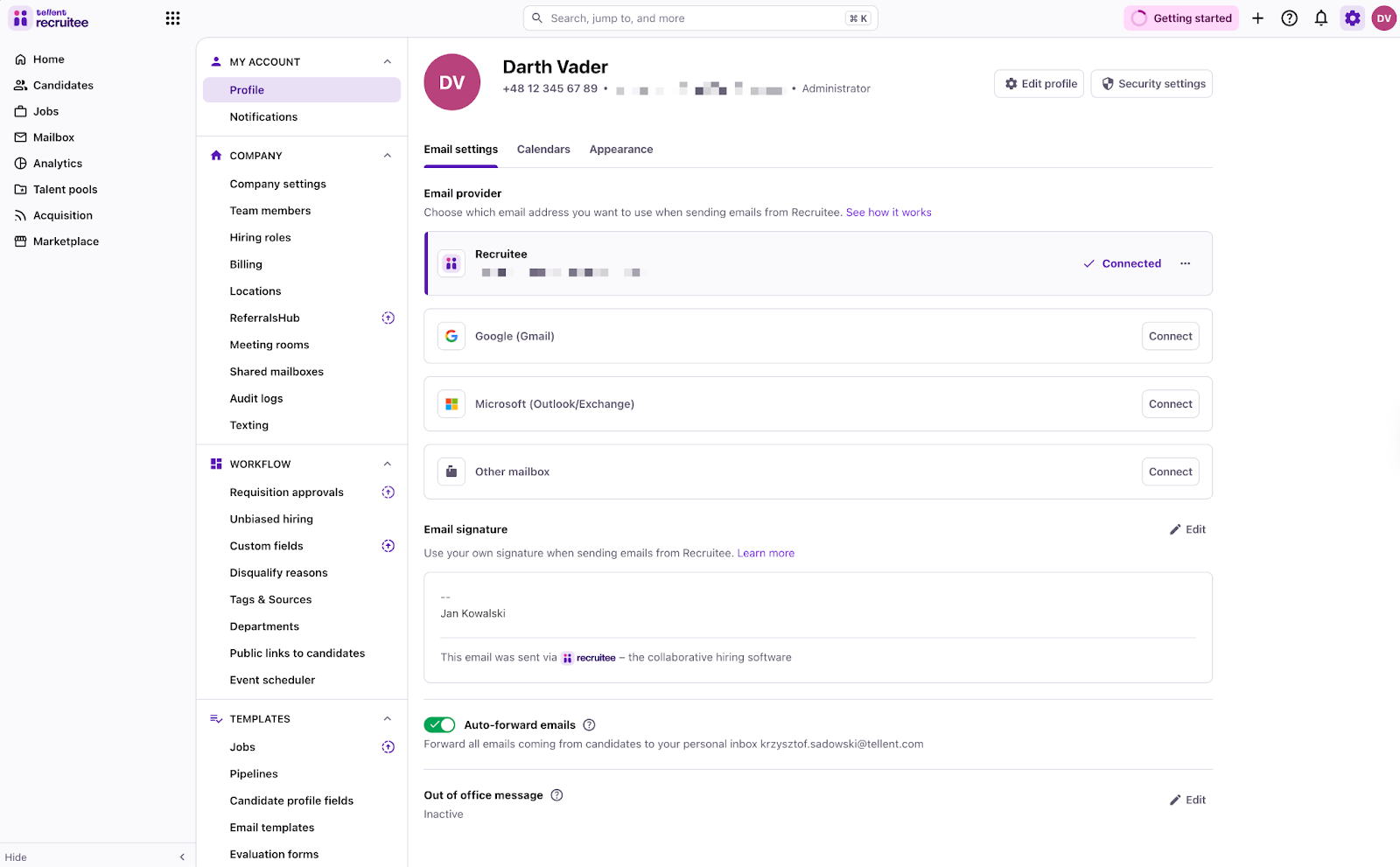
Two separate systems: ATS and HRIS
It also ensures all data stays GDPR compliant.
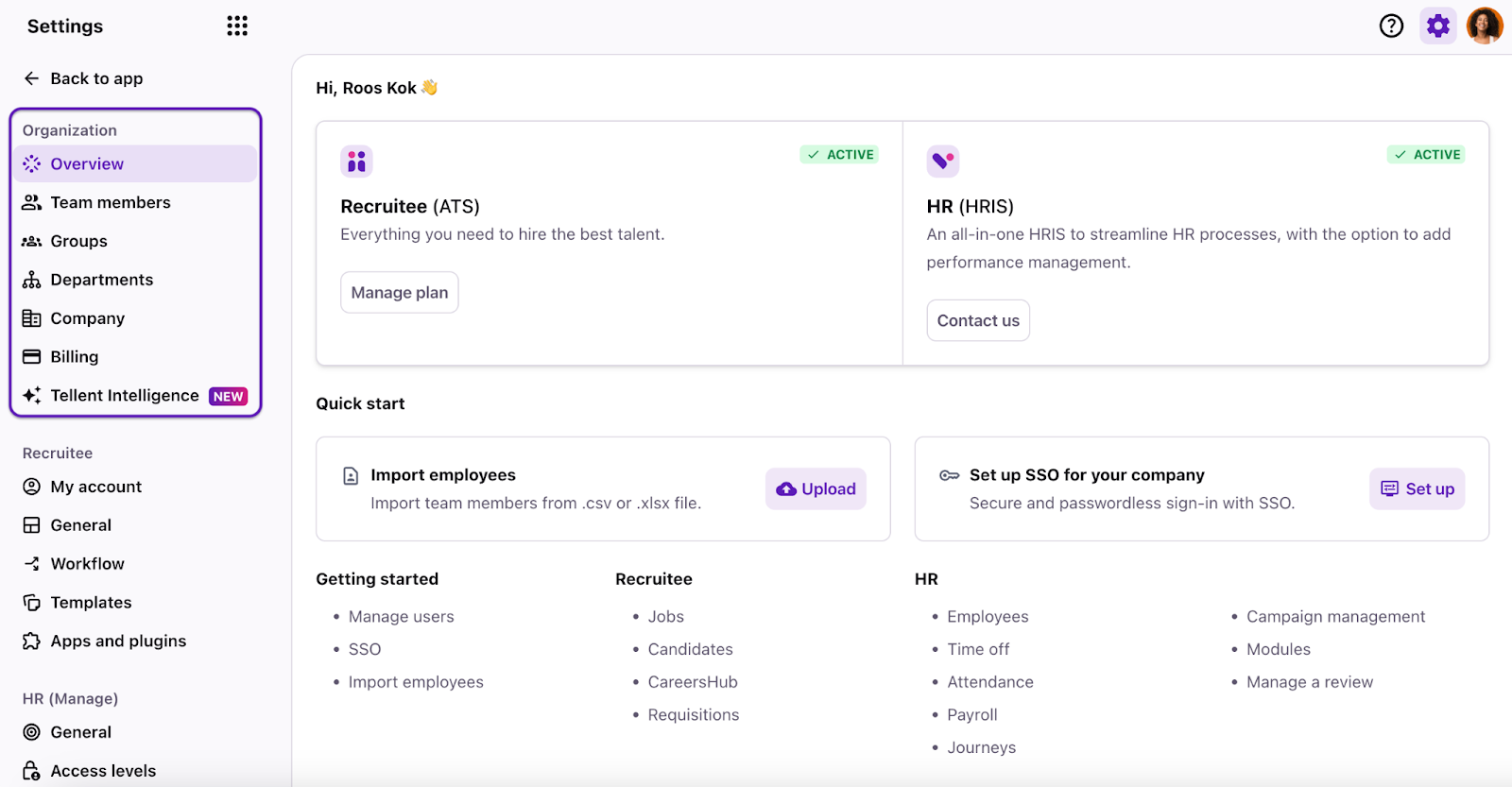
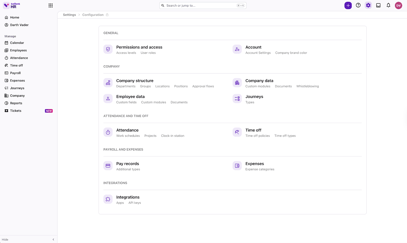
ATS and HRIS integrated as one people decisions platform so you manage everything in one workspace.
The bottom line? If your current setup still relies on manual checks, spreadsheets, or post-hire cleanup, the issue is rarely the ATS or HRIS alone — it’s how they’re connected.
The more your hiring and people decisions depend on accurate, shared data, the more important a scalable integration between the two systems becomes.
ATS–HRIS integration checklist: How to evaluate integrations before you choose
Many teams only evaluate whether an integration exists. But high-performing teams evaluate whether the integration supports better decisions in practice.
A strong ATS–HRIS integration should not only move data between systems. It should preserve context, clarify ownership, reduce manual checks, and give teams confidence that hiring and employee records are accurate enough to support onboarding, reporting, and workforce planning.
Use this checklist to review how reliable, scalable, and decision-ready the integration will be:
1. Data flow direction and ownership
- Which system acts as the source of truth at each stage (candidate vs employee)?
- Can you control which fields sync and when?
Why it matters: Unclear data ownership often creates duplicate, incomplete, or conflicting employee records.
2. Trigger points for syncing
- When does data sync occur: at offer creation, at offer acceptance, or at the start date?
- Can sync timing be configured or automated based on workflow events?
Why it matters: Poorly timed syncing delays onboarding and increases manual corrections.
3. Depth of data mapping (beyond basic fields)
- Does the integration support custom fields?
- Can it map role, department, manager, location, and compensation details?
- Are contract types and employment terms transferred automatically?
Why it matters: Shallow integrations still force HR teams to re-enter critical employee information.
4. Visibility and error handling
- Can you see when syncing fails or data mismatches occur?
- Are errors flagged clearly and proactively?
- Can HR resolve sync issues without relying on IT support?
Why it matters: Silent sync failures often create downstream onboarding and reporting problems that are difficult to trace.
5. Guidance and next-step clarity
- Does the integration make it clear which onboarding steps are complete?
- Can teams see what information is missing before the start date?
- Are the right people notified when action is needed?
- Does the workflow help managers, HR, and recruiters understand who owns the next step?
Why it matters:
Integrations should not only transfer data. They should help teams act on it. Clear guidance reduces delays, missed steps, and uncertainty during the handoff from hiring to onboarding.
6. Ongoing maintenance and flexibility
- Does the integration continue working as workflows, hiring structures, or roles evolve?
- Can field mappings be updated without rebuilding the integration?
- Is the integration actively maintained and supported by the vendor?
Why it matters: SMBs evolve quickly, and rigid integrations often break as hiring processes mature.
7. Security and permission controls
- Are access permissions preserved across systems?
- Can sensitive employee or compensation data be restricted or masked?
- Is data transferred securely and in compliance with privacy regulations?
Why it matters: Poor integration design can introduce data security risks and compliance exposure.
Common ATS–HRIS integration mistakes SMBs make
Even when teams invest in both an ATS and an HRIS, integration challenges often come down to a few predictable mistakes.
These rarely show up immediately. Instead, they create gradual friction — slower onboarding, unreliable reporting, and increased administrative work as hiring scales.
The most common integration mistakes SMBs make include:
- Assuming ‘integration’ means full automation
Many integrations only sync limited fields or require manual oversight. As a result, teams still end up double-checking data or fixing records after a hire is confirmed.
- Buying tools independently without checking compatibility
Teams often select an ATS and HRIS separately, assuming they will integrate easily later. In reality, the tools may not be fully compatible, and even when integrations exist, mismatched workflows or limited data syncing can create onboarding delays and reporting gaps.
- Optimizing for today’s hiring needs instead of future growth
Some integrations work well when hiring is simple, but break down as hiring volume, stakeholder involvement, or reporting needs increase. This often forces teams to rebuild workflows later — sometimes even leading to costly ATS switching.
- Underestimating data ownership and data hygiene
When it’s unclear which system controls specific employee data, duplicate or conflicting records quickly appear. Over time, manual corrections become routine and difficult to track.
Key takeaways: Build a connected hiring to onboarding workflow
An ATS–HRIS integration helps teams connect hiring and HR workflows so candidate data can move smoothly from application to employee record. Instead of manually copying information between systems, recruiters and HR teams can reduce admin, avoid duplicate data entry, and create a more reliable onboarding process.
But the value of integration goes beyond efficiency.
When your ATS and HRIS are connected, hiring context does not disappear after the offer is accepted. Role details, start dates, manager information, compensation data, and candidate records become part of a more complete employee profile. That gives HR, recruiters, hiring managers, Finance, and leadership a shared foundation for better decisions.
The goal is not simply to add another tool or automate another workflow. It is to build a connected candidate-to-employee process that reduces handoffs, preserves hiring context, and gives teams confidence in their hiring and workforce data.
When that foundation is in place, organizations can make better people decisions — from offer acceptance through onboarding, workforce planning, early performance conversations, and beyond.
Exploring ATS-HRIS integration? Learn how integrated hiring and people workflows work inside Tellent. Get a demo today!